Why Are Your Google Ads Getting Clicks but No Leads? A Practical Guide for Business Owners in Varanasi and Beyond
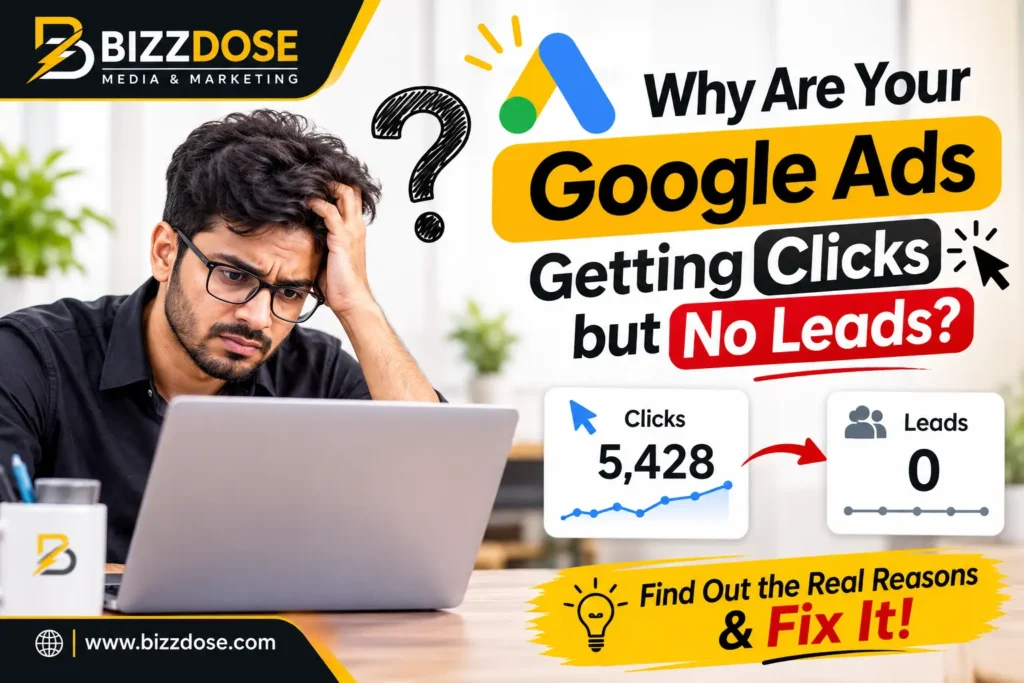
You open your Google Ads account in the morning. The dashboard shows 150 clicks yesterday. Good number, right? But when you check your phone, there are no enquiry calls. WhatsApp is silent. The form on your website is empty.
If this feels familiar, you are not alone. Business owners from Varanasi, Lucknow, Prayagraj, Patna and many smaller towns tell us the same thing: “Ads are running, money is finishing, but customers are not coming.”
So, why are your Google Ads getting clicks but no leads? The honest answer is that a click is only the first step. After the click, many things must go right: the right person must click, the page must load fast, the message must match the ad, the offer must feel trustworthy, and contacting you must be very easy. If even one of these breaks, the click is wasted.
In this guide, we explain the problem in simple language. We will show you the most common reasons, how to check each one yourself, and how to fix it step by step. We will also tell you how we at Bizzdose approach this problem for local and online businesses.
You do not need to be a technical person to understand this article. Read it with your Google Ads account open, and you will likely find two or three problems in your own campaign.
Why Understanding This Problem Is So Important
Many owners think Google Ads is like a switch: put money in, get customers out. It is not. Google Ads is a system, and like any system, it needs regular checking.
When someone asks us why are your Google ads getting clicks but no leads, we first ask one more question: “How much money have you spent without a single enquiry?” For small businesses, even a few thousand rupees wasted every month hurts. Over a year, it becomes a serious loss.
Clicks Are Not the Same as Customers
Google charges you when someone clicks. Google does not charge you based on whether that person became a customer. So a campaign can look “successful” in the dashboard (high clicks, good click-through rate) and still bring zero business.
Think of a shop on a busy road. If 500 people walk in just to ask for directions or to escape the sun, your shop is full, but your cash box is empty.
The Hidden Cost of Ignoring the Problem
When leads do not come, owners usually make one of three wrong decisions:
- They blame Google Ads and stop completely.
- They increase the budget, hoping more clicks will fix it.
- They change agencies again and again without finding the real cause.
All three can be avoided if you find the real reason first. That is what this guide is about.
Quick Answer: The Main Reasons for Clicks but No Leads
If you are in a hurry, here is the short answer. Google Ads usually gets clicks but no leads because of one or more of these reasons:
- Your ads are showing for the wrong keywords or the wrong people.
- Your landing page does not match what the ad promised.
- Your website is slow, especially on mobile.
- Your page does not build trust (no reviews, no address, no proof).
- Contacting you is difficult (hidden phone number, long form).
- Your offer is not clear or not attractive.
- Conversion tracking is broken, so leads are happening but not being counted.
- Your location or timing settings are wrong.
- You are not following up on enquiries fast enough.
- Your budget is too small or spread over too many campaigns.
Now let us understand each one properly, with simple checks and fixes.
Top Reasons Behind Google Ads Clicks but No Leads (and How to Fix Them)
Below are the problems we see most often when we audit accounts. Use them like a checklist.
Reason 1: Wrong Keywords Are Bringing the Wrong Visitors
This is the most common reason. If your keywords are too broad, Google may show your ad to people who are not ready to buy.
For example, a coaching institute in Varanasi bids on the word “free coaching.” Many students click, but nobody wants to pay fees. A furniture shop bids on “furniture” and gets clicks from people looking for pictures, jobs or DIY ideas.
How to check
- Go to Google Ads, then Insights and Reports, then Search Terms.
- Look at the actual words people typed before clicking.
- Find words that have nothing to do with your business.
How to fix
- Add negative keywords such as “free,” “jobs,” “salary,” “pdf,” “images,” “DIY,” and “course” (if you do not offer one).
- Use phrase match and exact match for your main keywords.
- Focus on buying-intent keywords like “near me,” “price,” “book,” “best,” “in Varanasi,” and “contact number.”
Reason 2: Search Intent Does Not Match Your Page
Search intent means what the person actually wants. Someone searching “how to start a digital marketing agency” wants information. Someone searching “digital marketing company in Varanasi” wants to hire. If you show a sales page to an information seeker, they will leave.
A good rule is simple: one keyword group, one landing page, one clear action.
Reason 3: The Landing Page Does Not Match the Ad
This is the second most common reason behind the question why are your Google ads getting clicks but no leads. Your ad says “Best Wedding Photographer in Varanasi, Packages Starting at a Clear Price.” The visitor clicks and lands on your home page, which talks about ten different services and shows no price. They leave in five seconds.
What a good landing page needs
- A headline that repeats what the ad promised.
- One main offer, not ten.
- A visible phone number and WhatsApp button at the top.
- A short form with only 3 or 4 fields.
- Real photos, reviews and your business address.
Common landing page mistakes
- Sending all ads to the home page.
- Using stock photos that look fake.
- Putting the contact form at the very bottom.
- Using big paragraphs of text that nobody reads on mobile.
Reason 4: Your Website Is Slow or Not Mobile-Friendly
In India, most people search on mobile, often on average-speed networks. If your page takes more than three seconds to open, many visitors will go back before even seeing your offer. You still pay for that click.
How to check
- Open Google PageSpeed Insights and paste your landing page link.
- Look at the mobile score and the “Largest Contentful Paint” time.
- Open your own page on a normal phone with mobile data, not office Wi-Fi.
How to fix
- Compress images (use WebP format).
- Remove unnecessary plugins and heavy sliders.
- Use good hosting and caching.
- Keep buttons big enough for thumbs.
Reason 5: There Is No Trust on the Page
People are careful about online payments and fake service providers. If your page does not feel real, they will not call.
Trust signals that work well for local businesses:
- Your full address (for example, a Lalpur or Sigra location) and a Google Map.
- Google reviews and customer photos.
- Years of experience, if true and provable.
- Clear refund, warranty or service policy.
- Your own face and team photos.
- GST or registration details where relevant.
This is also where Google’s EEAT idea (Experience, Expertise, Authoritativeness, Trustworthiness) helps. Show who you are, what you have done, and how people can reach you.
Reason 6: It Is Difficult to Contact You
We have seen pages where the phone number is an image that cannot be clicked, or the form asks for 12 details including full address and pin code. Nobody has time for that.
Make contact easy
- Add a click-to-call button on mobile.
- Add a WhatsApp button with a ready message.
- Keep forms short: name, phone number, and one question.
- Show your working hours.
- Use call extensions and location extensions in your ads.
Reason 7: Your Offer Is Weak or Unclear
Clicks happen because of curiosity. Leads happen because of a good reason to act today. Ask yourself: why should someone choose you over the shop next door?
Weak offers say: “We provide quality service.” Strong offers say: “Free site visit in Varanasi within 24 hours. Fixed quote on WhatsApp in 30 minutes.”
A clear offer includes what you give, how pricing works, how fast you respond, and what happens next.
Reason 8: Conversion Tracking Is Broken or Missing
Sometimes leads are coming, but your account cannot see them. Calls from the ad, WhatsApp clicks and form submissions must be tracked as “conversions.” If they are not, Google cannot learn which clicks are valuable, and you cannot judge performance either.
This point is important enough that we want to say it again. When owners ask us why are your Google ads getting clicks but no leads, in many audits we find some tracking problem: a thank-you page not firing, a duplicate tag, or a phone number not connected.
How to check
- In Google Ads, go to Goals and then Conversions. See if the status says “Recording conversions.”
- Submit a test enquiry yourself and see if it appears.
- Use Google Tag Assistant to test your tags.
How to fix
- Set up Google Tag Manager and GA4.
- Track form submit, call button click, WhatsApp click and call duration.
- Import the key events into Google Ads.
Reason 9: Location, Language and Timing Settings Are Wrong
A common mistake is selecting “Presence or interest” for locations. This can show your Varanasi shop ad to people who only show interest in Varanasi from Delhi, Mumbai or even abroad. Choose “Presence” if you serve only local customers.
Also check:
- Language settings (Hindi and English both, if your audience uses both).
- Ad schedule (do not run ads when nobody can answer calls).
- Device bids (some businesses get better leads from mobile, some from desktop).
Reason 10: You Are Not Following Up Fast Enough
Sometimes the ad works, but the business loses the lead. If a customer fills a form and gets a call after two days, they have already spoken to three other companies.
- Try to respond within 15 minutes during business hours.
- Keep a simple CRM or even a Google Sheet to record every enquiry.
- Use WhatsApp Business auto-replies for after-hours messages.
Reason 11: Budget and Campaign Structure Problems
A small daily budget spread across five campaigns, ten ad groups and 80 keywords means each keyword gets almost nothing. Google cannot learn, and you cannot see a pattern.
Start small but focused: one or two campaigns, a few strong keyword groups, and enough budget to get some conversions every week.
Reason 12: Too Much Trust in Automatic Settings
Google often suggests Performance Max, smart bidding and broad match. These can work, but only when conversion tracking is correct and you have enough data. For a new account with weak tracking, automation can burn your budget on cheap, low-quality clicks.
Real-World Examples: What This Looks Like in Practice
The examples below are illustrative scenarios based on common patterns in local business advertising. They are not claims about any specific client.
Example 1: A Coaching Institute in Varanasi
The institute ran ads on “coaching classes” and sent everyone to the home page. Search terms showed many clicks from “free study material” and “previous year papers.” After adding negative keywords, creating a separate page for each course, and adding a WhatsApp button with a free demo class offer, the quality of enquiries improved noticeably, even though total clicks went down.
Example 2: A Local Interior Designer
The ads were getting clicks from a very wide area. Many visitors were from cities where the designer did not work. Changing location targeting to “Presence,” adding a clear service area on the page, and showing completed project photos helped attract more relevant calls.
Example 3: An Online Seller of Handloom Products
Traffic was good, but nobody bought. The checkout page was slow on mobile and needed a login before payment. Making guest checkout available and compressing images solved a big part of the problem. Here the click-to-lead gap was a website problem, not an ad problem.
Case Study Style Walkthrough: From Clicks to Calls
Here is a simple, generic case that shows how a proper audit works. The details are illustrative and meant to explain the method, not to promise a result.
If you want a plain answer to why are your Google ads getting clicks but no leads, a walkthrough like this is the best way to see it.
The Situation
A service business spent money on Google Ads for two months. The account showed many clicks and a decent click-through rate, but only a handful of enquiries.
What the Audit Found
- Over half of the budget went to search terms unrelated to the service.
- The mobile landing page took more than five seconds to load.
- The phone number was not clickable.
- Conversion tracking recorded only one of the three lead actions.
What Was Changed
- A negative keyword list built from real search terms.
- A dedicated, fast landing page created for each main service.
- Click-to-call and WhatsApp buttons added.
- Calls and form submissions tracked properly in GA4 and Google Ads.
The Learning
No single fix did the job. The improvement came from fixing the full journey from search to enquiry. This is why we say that clicks but no leads is rarely an “ad only” problem.
About Bizzdose: Your Digital Marketing Partner in Varanasi
Bizzdose is a digital marketing company based in Lalpur, Varanasi. We work with local shops, service providers, institutes, clinics and online businesses who want real enquiries, not just numbers in a report.
Most of the businesses that come to us are already running ads, and many are asking the same thing: why are your Google Ads getting clicks but no leads? Our job is to look at the whole path, from the first search to the final phone call, and fix what is broken.
Our office address: Sector-B, JP Complex, Lalpur, Varanasi, Uttar Pradesh 221002
Phone / WhatsApp: +91 84236 81741
Website: bizzdose.com
Because we sit in Varanasi, we understand how customers here search, what language they use, which festivals and seasons change demand, and how much trust matters before a person picks up the phone.
Why Choose Bizzdose for Google Ads and Lead Generation
There are many agencies. Here is what we believe makes a difference to a business owner.
- Plain-language reporting. We explain what is happening in simple Hindi or English, without heavy jargon.
- Leads first, clicks second. We judge a campaign by enquiries and sales, not by impressions.
- Local understanding. We know Varanasi and nearby markets, and we can meet you face to face in Lalpur.
- Full-funnel thinking. We look at the ad, the landing page, the tracking and the follow-up together.
- Honest advice. If your website needs fixing first, we will say so before you spend more on ads.
Our Unique Selling Points
A Click-to-Lead Audit, Not Just an Ad Audit
Most audits check only the ads. We also check landing page speed, trust signals, form design, tracking and your enquiry handling process.
Simple Dashboards You Can Actually Read
You should be able to see how many calls, WhatsApp chats and forms came from each campaign without needing a marketing degree.
Local SEO and Ads Working Together
Google Ads, Google Business Profile and website SEO support each other. When they work together, you get both quick leads and long-term visibility.
Clear Communication and Regular Updates
You will know what we changed, why we changed it and what we plan to test next.
Our Detailed Services to Turn Clicks into Leads
Fixing a campaign that gets clicks but no leads needs more than one skill. Here is how our services connect.
Google Ads Management and Audit
We set up, manage and clean Search, Display, Performance Max and local campaigns. A full audit covers keywords, search terms, ad copy, bidding, budget, location settings and conversion tracking.
What you get in a Google Ads audit
- A list of wasted keywords and search terms.
- A review of ad copy and extensions.
- Landing page and mobile speed review.
- A tracking and conversion check.
- A simple action plan in order of priority.
Landing Page Design and Conversion Optimisation
We build or improve landing pages that load fast, look trustworthy and make it easy to call, message or fill a short form. We test headlines, buttons, offers and page layout over time.
Conversion Tracking and Analytics Setup
We set up Google Tag Manager, GA4 and Google Ads conversions so that every call, WhatsApp click and form submission is counted correctly.
Local SEO and Google Business Profile
For businesses that depend on local customers, we improve the Google Business Profile, reviews, local citations and map visibility. This helps people find you when they search “near me” or “in Varanasi.”
Website Design and Development
If your website is the real problem, we can improve or rebuild it with speed, mobile use and lead generation in mind.
SEO and Content Marketing
Good content brings steady, lower-cost traffic and builds trust over time. Together with ads, it creates a stronger lead pipeline.
Social Media and WhatsApp Lead Handling
We help set up WhatsApp Business, quick replies and simple follow-up flows so that no enquiry is lost.
Industries We Serve
We have the knowledge to work with different local and online businesses, including:
- Education and coaching institutes
- Clinics, dental practices and wellness centres
- Real estate, builders and property dealers
- Hotels, guest houses and travel services
- Restaurants, cafes and event planners
- Wedding photographers and decorators
- Retail shops, furniture and electronics stores
- Handloom, handicraft and silk businesses
- Interior designers and contractors
- B2B service companies and manufacturers
- Local e-commerce sellers
Every industry has different search habits, so we never copy one campaign for another business.
Benefits for Our Customers
When the click-to-lead path is fixed, the benefits are easy to see:
- Less wasted budget. Money goes to searches that show real buying interest.
- More relevant enquiries. You talk to people who actually need your service.
- Better clarity. You know which campaign brings calls and which only brings visits.
- Faster decisions. Good data helps you stop what is not working.
- Stronger brand trust. A clean website and clear offer make you look dependable.
- Time saved. You focus on running the business while we handle the technical work.
Our Step-by-Step Working Process
When a business owner comes to us asking why are your Google Ads getting clicks but no leads, we follow a clear process.
Step 1: Free Discussion and Goal Setting
We talk about your business, your customers, your average sale value and what a “good lead” means for you. Without this, any campaign is a guess.
Step 2: Account and Website Audit
We review your ad account, search terms, tracking, landing pages and mobile speed. We also check how enquiries are currently handled.
Step 3: Finding the Real Leak
We separate the problem into three parts: traffic quality, page experience and follow-up. Then we decide where to start.
Step 4: Fixing Tracking First
If tracking is wrong, we fix it before changing anything else. Otherwise, we cannot measure what improves.
Step 5: Cleaning and Restructuring the Campaigns
We add negative keywords, pause weak keywords, group keywords by intent, rewrite ads and correct location and schedule settings.
Step 6: Landing Page Improvement
We create or improve pages that match each ad group, with clear offers, trust signals and easy contact options.
Step 7: Testing and Optimisation
We test headlines, offers, buttons and audiences in small steps. We keep what works and remove what does not.
Step 8: Reporting and Planning Ahead
You receive simple reports on calls, form leads, WhatsApp chats and cost per lead. We then plan the next improvements together.
Tools and Technologies We Use
Good work needs good tools. Depending on the project, we use:
- Google Ads and Google Ads Editor for campaign setup and bulk changes.
- Google Analytics 4 (GA4) to see how visitors behave after the click.
- Google Tag Manager for clean conversion and event tracking.
- Google Search Console for SEO and search performance.
- Google PageSpeed Insights for speed checks.
- Microsoft Clarity or similar heatmap tools to see where users scroll, tap or leave.
- Looker Studio for easy-to-read dashboards.
- Google Business Profile for local visibility.
- WhatsApp Business for fast customer conversations.
- Spreadsheets or a simple CRM to track every lead until closing.
Tools alone do not fix a campaign. What matters is reading the data correctly and acting on it.
Pricing Factors: What Decides the Cost
We do not believe in one fixed price for every business, because each account has different needs. Here are the common factors that affect the cost of Google Ads management and optimisation.
- Size and condition of the existing account. A messy account with years of wrong settings needs more cleaning.
- Number of services or products to advertise. More services usually need more campaigns and landing pages.
- Competition in your industry. Some keywords are much costlier per click than others.
- Ad budget. This is paid to Google and is separate from agency fees.
- Landing page needs. Existing pages may need only small changes, or new pages may be required.
- Tracking complexity. Calls, forms, WhatsApp and online payments each need setup.
- Reporting frequency. Weekly or monthly updates and review meetings.
- Extra services. SEO, content, social media or website development.
For an accurate quote, call us on +91 84236 81741 or send a message on WhatsApp. We will tell you honestly what is needed and what can wait.
Common Mistakes People Make with Google Ads
If you are still wondering why are your Google Ads getting clicks but no leads, check whether you are making any of these mistakes.
- Sending every ad to the home page. Visitors get lost and leave.
- Using only broad keywords. This brings low-intent traffic.
- Ignoring the search terms report. Wasted spend continues for months.
- Not setting up conversion tracking. You cannot measure what you cannot see.
- Running ads on a slow website. The click is paid, and the visitor is lost.
- Copying competitor ads. Your offer then looks the same as everyone else’s.
- Changing too many things at once. You never learn what worked.
- Expecting results in two days. Campaigns need some time to collect data.
- Not calling back leads quickly. Good leads go cold.
- Trusting Google’s automatic suggestions blindly. They are not always made for your goals.
Why Bizzdose Stands Out from Other Agencies
We respect every agency, and many do good work. This table shows how our approach compares with what business owners often experience with typical agencies or freelancers.
| Area | Typical Approach | Bizzdose Approach |
|---|---|---|
| Main focus | Clicks, impressions, traffic | Calls, enquiries and quality leads |
| Audit | Only ad account checked | Ads, landing page, tracking and follow-up checked together |
| Reporting | Heavy terms and long reports | Simple dashboards and clear explanations |
| Local knowledge | General, copied from other cities | Varanasi and nearby market understanding |
| Landing pages | Home page used for all ads | Separate page for each service or offer |
| Communication | Monthly report only | Regular updates and open discussion |
| Honesty | Promises of quick results | Realistic goals and clear next steps |
We do not promise fixed lead numbers, because no honest agency can control market demand. What we promise is a clear process, clean data and steady improvement.
Customer-Focused Solutions: One Size Does Not Fit All
A clinic and a furniture store have different customers. One buys after a single call; the other may take weeks to decide. So we plan solutions based on your situation:
- For new advertisers: a simple, safe setup with proper tracking from day one.
- For businesses that already spent money: a detailed audit and recovery plan.
- For businesses with a weak website: a landing page first, ads second.
- For businesses with many enquiries but few sales: help with follow-up, scripts and CRM.
- For businesses that want long-term growth: a mix of Google Ads, local SEO and content.
Frequently Asked Questions (FAQs)
1. Why are my Google Ads getting clicks but no leads?
Usually because of wrong keywords, a landing page that does not match the ad, a slow or untrustworthy website, hard-to-find contact options, weak offers or broken conversion tracking. Check your search terms report and your landing page on mobile first. Most problems show up there.
2. How many clicks are needed before I get one lead?
There is no fixed number. It depends on your industry, offer, price and page quality. Some businesses get a lead from every 10 to 20 clicks, while others need many more. Track your own click-to-lead rate over a few weeks rather than comparing with random numbers online.
3. Should I stop my Google Ads if I am not getting leads?
Not immediately. First find the cause. Check search terms, tracking, landing page and follow-up. If you stop without fixing the problem, the same issue will return on any other platform. If the budget is very high and tracking is broken, reduce spend while you audit.
4. How long does it take to see results from Google Ads?
You can get clicks the same day, but stable lead quality often needs a few weeks of testing and cleaning. Google needs data, and you need time to learn which keywords, ads and pages work. Be careful of anyone promising guaranteed results in a few days.
5. What is a good conversion rate for Google Ads?
It differs by industry. Many local service businesses see conversion rates between 2 percent and 10 percent, but this is only a rough guide. A well-matched landing page, a clear offer and easy contact options usually improve it.
6. Does a slow website really affect Google Ads leads?
Yes. Many visitors leave if a page takes too long to open, especially on mobile data. You still pay for that click. A fast, lightweight landing page often improves both lead numbers and the quality score of your ads.
7. How do I track calls and WhatsApp leads from Google Ads?
Use Google Tag Manager and GA4 to track call button clicks, WhatsApp button clicks and form submissions. Then import these events as conversions in Google Ads. You can also use call extensions and call reporting to see calls from your ads.
8. What are negative keywords and why are they important?
Negative keywords tell Google not to show your ad for certain searches, such as “free,” “jobs” or “pdf.” They protect your budget from people who are unlikely to buy. Review your search terms report every week to find new ones.
9. Is Google Ads better than SEO for local businesses in Varanasi?
They do different jobs. Google Ads gives faster visibility and is good for urgent leads. SEO and Google Business Profile take longer but build steady, lower-cost enquiries. For most local businesses, using both gives the best result.
10. How can Bizzdose help if my Google Ads get clicks but no leads?
We audit your ads, landing page, tracking and follow-up process, then fix what is causing the leak. If you are asking why are your Google Ads getting clicks but no leads, call or WhatsApp us on +91 84236 81741, or visit our Lalpur, Varanasi office.
Conclusion: Fix the Journey, Not Just the Ad
A click is only a visit. A lead is a person who trusts you enough to call, message or fill your form. Between these two steps lie keywords, intent, page speed, trust, offer, tracking and follow-up.
So the next time you ask yourself why are your Google Ads getting clicks but no leads, do not blame Google or increase the budget straight away. Open your search terms report, look at your landing page on a phone, test your own form and check your conversion tracking. Fix the biggest leak first, then move to the next one.
If you want an expert second opinion, the team at Bizzdose is happy to help. We will look at your account honestly and tell you what is working, what is not, and what to do next.
Call To Action: Get Your Free Google Ads Review from Bizzdose
Still stuck with the question, why are your Google Ads getting clicks but no leads? Let us help you find the exact reason.
- Call or WhatsApp: +91 84236 81741
- Visit us: Sector-B, JP Complex, Lalpur, Varanasi, Uttar Pradesh 221002
- Website: https://bizzdose.com/
Share your Google Ads account details and landing page link, and our team will guide you on the next steps. Stop paying for clicks that do not bring customers. Start paying for leads that grow your business.